Food and family essentials
Food pantries, SNAP and WIC
What the guide brings together
Find food support, eligibility, distribution hours and application requirements.
DIGITAL + PRINTABLE · COMMUNITY RESOURCE GUIDE
BASAAS organizes local support information into a guide that travels with the work—from a coordinator’s screen to a provider meeting or a family’s hands.
PHILADELPHIA · PENNSYLVANIA · 19140
Your Philadelphia guide shows how BASAAS brings location, resource search and print access together. The same guide workflow organizes support around the school location configured in the app.
AI-assisted discovery gathers resource information. The guide organizes the available details into chapters your team can browse, search and print.
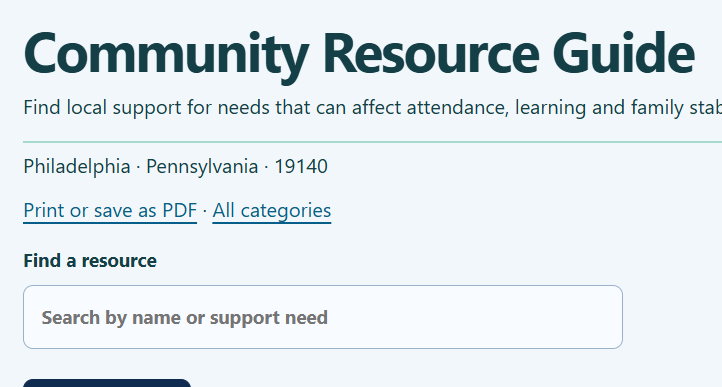
EXPLORE THE GUIDE’S COVERAGE
6 category groups
Food pantries, SNAP and WIC
Find food support, eligibility, distribution hours and application requirements.
Emergency housing, low-income housing and utility assistance
Bring housing options, service areas and application steps into one reference.
Healthcare, behavioral health and insurance enrollment
Review care options, insurance information, contact details and who each service supports.
Libraries, digital access and college classes
Connect families with learning spaces, technology access and education opportunities.
Youth clubs, parks, community centers and childcare
Locate enrichment and community supports alongside academic planning.
Career development, employment and legal assistance
Keep employment and assistance resources within reach of the same support team.
No category matches. Try a broader word, or clear your search.
These categories introduce the guide’s coverage. Open your school’s guide to search its resource listings.
READY FOR A HANDOFF
◈ BASAAS · COMMUNITY RESOURCE GUIDE
Print format preview · Resource-entry template
A consistent reference for support coordinators, service providers and family conversations.
Explore BASAAS: https://basaas.org/resource-guide.html
A WORKFLOW YOUR TEAM CAN REPEAT
A coordinator searches the guide for food, childcare or learning support while reviewing a family’s needs.
They review available eligibility and contact details, then print or save the guide for the staff or service partner helping with follow-up.
The team returns to the digital guide for later conversations and prints an updated copy when information changes.
Less repeated searching and document assembly. More time helping people take the next step.