BASAASSign in ↗
← Back to BASAAS

EXPLORE BASAAS

See what the work
turns into.

AI-assisted discovery, explanations and summaries work alongside BASAAS optimization to turn information into usable outputs: service options, resource matches, draft plans and reports. Explore the work prepared for your team.

Interactive examples · Fictional school information

Blue faceted BASAAS jewel

BASAAS · SAMPLE OUTPUT

AI tutoring

Personalized practice and support.

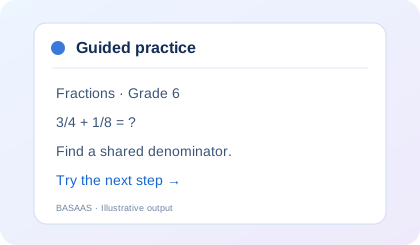
A student gets stuck on fractions.

The tutor guides the learner through a step, offers a hint and checks an answer.

Subject
Mathematics · Grade 6
Skill
Adding fractions with unlike denominators
Output
Worked reasoning, feedback and a next practice question

This fixed practice example runs in your browser.

BASAAS AI TutorPractice

Let’s add 3/4 + 1/8. What denominator can both fractions use?

Try it when you’re ready.

See the reasoning and next practice

3/4 = 6/8. Adding 1/8 gives 7/8. A shared denominator means each part has the same size.

Next practice: 1/2 + 1/4. What denominator will you use?

BASAAS · SAMPLE OUTPUT

Resource discovery

Find the right resources faster.

Find support that fits the next step.

A useful result connects the support need with a service description, access information, availability status and a follow-up action.

Sample need
Fraction practice and homework follow-through
Sample setting
One school and its approved support partners
Output
A reviewable shortlist, with reasons for the match
Sign in to search live resources ↗
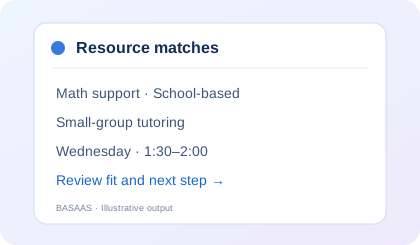
Resource matchesExample results
School-based · Academic support

Small-group math support

Why it fits: Guided fraction practice with space for questions.

Access
Coordinator referral
Availability
Sample window: Wednesday, 1:30–2:00
Source
Fictional school resource record
Next action
Confirm the group and review the proposed time
Academic support · Online

Guided homework practice

Why it fits: Short practice between school support sessions.

Access
Assigned learner account
Availability
Sample practice window: Monday and Thursday
Source
Fictional program configuration
Next action
Set a practice goal with the student
Mentoring

Weekly organization check-in

Why it fits: A consistent check-in for assignments and study routines.

Access
Support coordinator
Availability
To be confirmed
Source
Fictional mentoring record
Next action
Check capacity before adding a session

3 sample options shown.

BASAAS · SAMPLE OUTPUT

Plan drafting

Create individualized plans.

A working plan the team can refine.

The output connects an observed need to a goal, selected support, a responsible role and a review point.

Participant
Sample student
Observed need
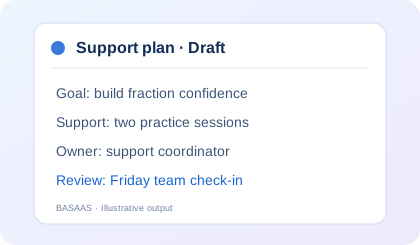
Needs practice adding fractions and completing assignments
Output
An editable support-plan draft
Student support planDraft for staff review

Changes stay in this page only. Use fictional information.

BASAAS · SAMPLE OUTPUT

Schedule coordination

Match people, times and needs.

See how availability changes the proposal.

Choose sample availability. The example identifies a common 30-minute window and explains exclusions.

Sample tutor availability

Student windows: Wednesday and Friday. Monday is protected instruction.

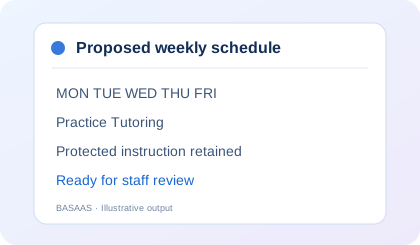
Proposed weekly scheduleFor staff review

Wednesday · 1:30–2:00

Common student and tutor availability for small-group math support.

Monday excluded: protected instruction.

A proposed time is ready for staff confirmation. This example does not book a session.

BASAAS · SAMPLE OUTPUT

Generated reports

Turn progress into clear updates.

Prepare the next team conversation.

A report brings participation, available evidence, unanswered questions and next actions into a consistent format.

Audience
School support team
Reporting period
Sample week
Output
A concise progress report plus follow-up actions
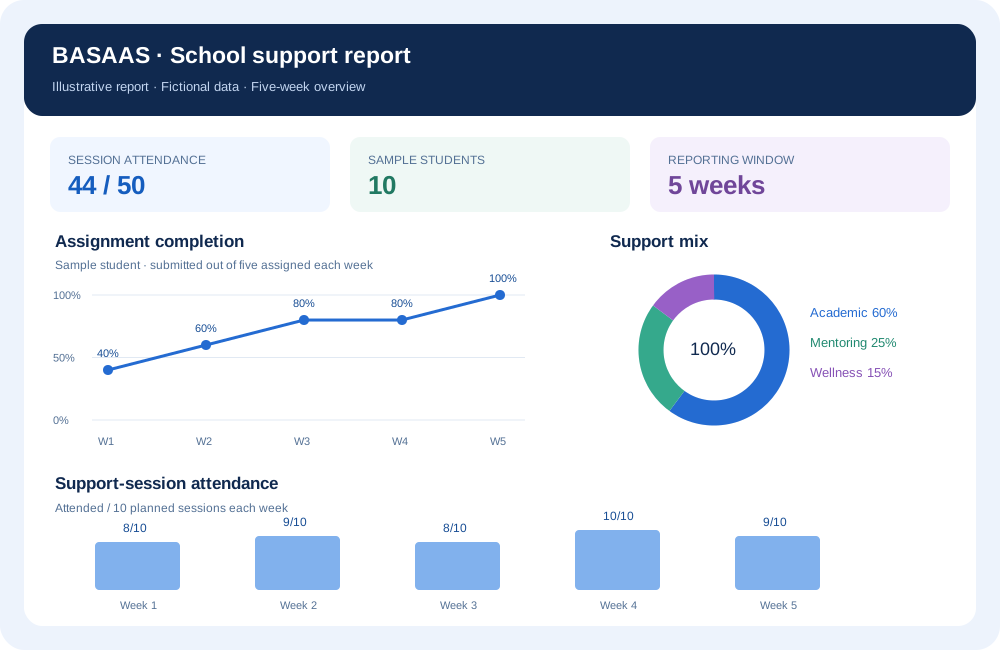
Sample report graphs: assignment completion, support-session attendance and support mix

Open the full visual report →

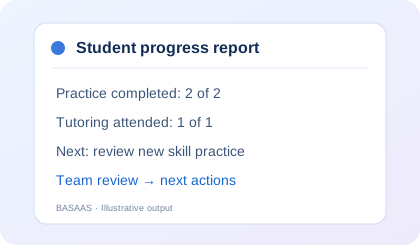
Student progress reportSample week
2 / 2practice sessions completed
1 / 1tutoring sessions attended

Progress summary

The sample student completed the planned practice and attended the small-group session. New independent skill evidence is still needed before deciding whether to change the support.

Current plan

Complete two guided fraction-practice sessions and review the next set of independent attempts with staff.

Follow-up

  • Math teacher: review the next independent attempts.
  • Coordinator: confirm the next support window.
  • Team: decide whether to continue or adjust the plan.

Sample participation figures describe this fictional example.

BASAAS · SAMPLE OUTPUT

Budget and service planning

See the service quantities your budget can support.

Turn a budget into a concrete service option.

Explore BASAAS service rates, program length and group capacity. The result shows fundable hours, remaining budget and a weekly planning quantity.

Sign in to build a service budget ↗
Budget → servicesPlanning example

20 group-hours

$2,400 allocated · $0 remaining

2 hours per week over 10 weeks · up to 10 students per group.

Whole-hour estimate; actual staffing and availability are confirmed separately.

BASAAS · SAMPLE OUTPUT

Role-based dashboards and planning summaries

A relevant view for each member of the team.

One plan, different responsibilities.

Switch the sample role to see its priorities and the information that supports the next action.

These role views illustrate the experience; they do not sign you in or change access.

Support coordinatorSample dashboard

Next actions

  • Review the draft student support plan.
  • Confirm the proposed tutoring window.
  • Prepare the Friday progress update.

Planning summary

The plan combines guided fraction practice with small-group support. The next step is to confirm availability and review independent attempts at the team check-in.

See the monthly task volumes, hours and dollar-value examples for every school membership →

See the whole school-day story.

Follow the sample information from the first concern to the next team review.

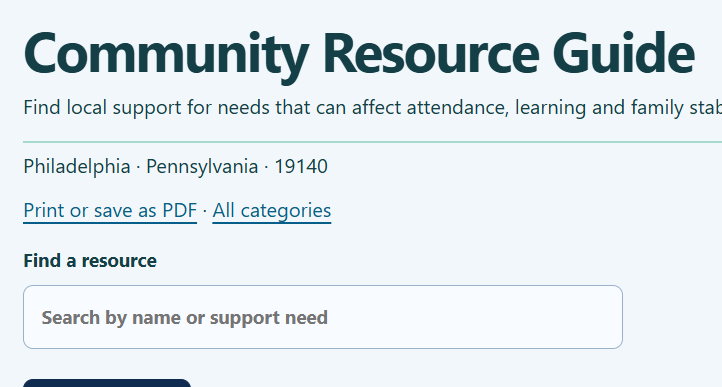
A SHAREABLE OUTPUT OF RESOURCE DISCOVERY

A guide your whole support network can use.

Turn organized resource information into a searchable reference and a printable guide.

Bring the guide to a support-team meeting, circulate a PDF to service partners, or print the relevant information for a family conversation.

Philadelphia Community Resource Guide search and print controls